

Start with a private space that has a door you can close, and keep that door-closed rule non-negotiable during program hours. Silence your phone, close extra tabs, and use headphones to protect your privacy. Test your Wi-Fi, camera, and microphone in the actual room, and run a practice call first. Then treat each session as a fixed appointment, blocking your calendar around it. The details below make each step easier to master.
Key Takeaways
- Choose a private space with a door that closes and treat it as a dedicated recovery zone during program hours.
- Minimize distractions by silencing your phone, closing extra tabs, using headphones, and limiting household interruptions.
- Use a laptop or tablet with a working camera and microphone, testing Wi-Fi and running a call beforehand.
- Set clear household expectations, inform roommates of your schedule, and prepare backup locations if home remains unstable.
- Treat sessions as non-negotiable appointments, block your calendar, and gather essentials like water, a notebook, and tissues.
How do you set up your home for IOP

To set up your home for IOP, choose a private room with a door that closes, and make that closed-door rule non-negotiable during program hours. If no private room exists, a parked car with a charged phone works as a reliable backup for uninterrupted sessions.
A private room with a door that closes; make that closed-door rule non-negotiable during program hours.
Keep the same spot, one chair or desk, so routine builds and mental friction drops before each session. Silence your phone, close extra browser tabs, and limit household interruptions to stay distraction-free.
Protect privacy so recovery and substance-use topics aren’t overheard. Set clear household expectations so your session time stays protected, and treat this space as a dedicated recovery zone rather than a general-purpose area.
Review your setup in advance so distractions stay minimal from session one.
How to choose and prepare a private space
Choose a private space with one non-negotiable feature: a door that closes. During program hours, keep that door-closed rule firm so your therapy discussions about substance use or recovery stay private and can’t be overheard.
If no private room exists, a parked car with a charged phone works as a reliable backup for uninterrupted sessions. Either way, commit to a consistent spot, the same chair or desk, to build routine and lower the mental friction you feel before logging on.
Then remove distractions. Silence your phone, close extra browser tabs, and set clear household expectations so interruptions don’t derail your focus. Treat this area as a dedicated recovery zone, not a general-purpose space, and you’ll protect the attention your treatment deserves.
What devices and internet you need to take part
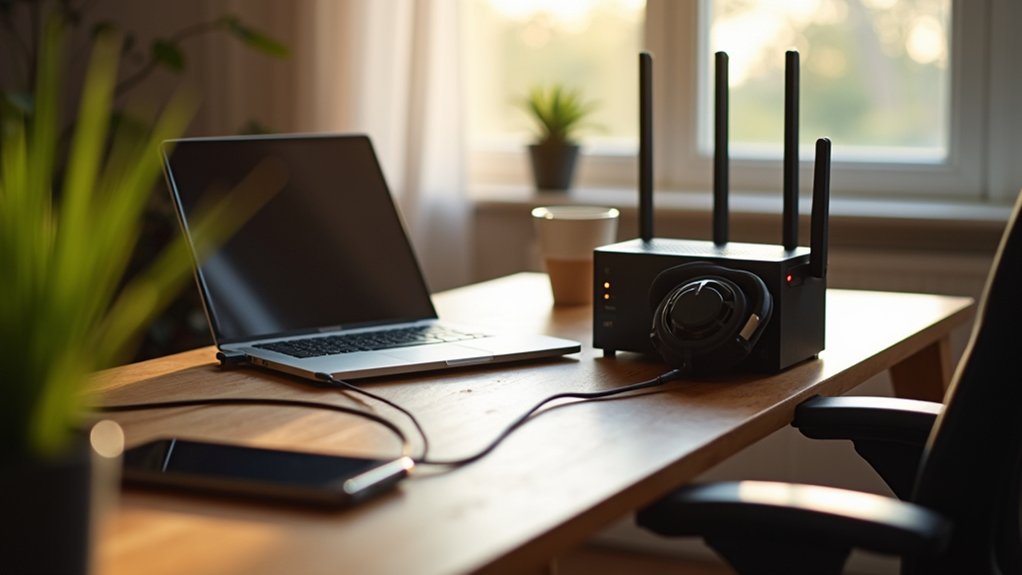
To take part you need the right hardware: a laptop or tablet with a working camera and microphone gives you the most reliable virtual session setup. Test the Wi-Fi strength in the actual room where you’ll meet, and move your setup if reception is weak. When a wired ethernet connection is available, prefer it, it’s more stable than Wi-Fi for video calls. Run a test call before the program begins to confirm your audio, video, and overall connection quality in the real space you’ll use. Position the camera at eye level, and check your lighting so your face stays visible and communication stays clear. Taking these steps early means fewer technical distractions, so you can focus fully on your recovery when sessions start.
How to handle family and roommates during sessions
Managing family and roommates during sessions starts by setting clear household expectations so session time stays protected from interruptions and competing demands. Let family or roommates know when your sessions run, and make the door-closed rule non-optional during program hours. Privacy matters here: recovery and substance-use topics shouldn’t be overheard, so choose a spot where conversations stay contained. Remove avoidable noise sources and unnecessary movement nearby, and wear headphones if you have them to reduce distraction and keep audio clear. Treat your setup as a dedicated recovery zone, not a shared household area. If the home environment stays unstable despite these steps, prepare a backup location, even a parked car, with stronger privacy and connectivity.
How to build a daily routine around treatment
Routine matters so much in recovery because structure reduces mental friction and creates the psychological stability that recovery depends on. Treat your IOP sessions as non-negotiable appointments, and block your calendar around treatment hours so nothing competes with them. Build a consistent daily schedule that connects treatment to the rest of your day, rather than leaving gaps unplanned.
| Routine Element | Purpose |
|---|---|
| Start-and-end rituals | Create psychological boundaries around sessions |
| Buffer time | Reduce over-scheduling stress and prevent burnout |
| Regular wake and bedtime | Support sleep hygiene and a stable rhythm |
Include brief grounding practices like breathing or journaling to open and close each session. Anchoring your day this way makes steady attendance of three to five sessions weekly far more sustainable.
What to do when private space is hard to find
Improvise a space that protects privacy and keeps sessions uninterrupted when your home doesn’t offer a private room with a door that closes. A parked car with a charged phone works surprisingly well, giving you enclosure and control that a shared living room can’t. The goal is simple: keep substance-use and recovery topics from being overheard, and reduce interruptions that pull you out of treatment.
- Use a parked car with a charged phone as a reliable backup for uninterrupted sessions.
- Wear headphones to improve audio clarity and keep conversations private.
- Set household expectations so others know not to interrupt during program hours.
- Prepare alternate locations with stronger privacy or connectivity when home stays unstable.
How to get your home ready before day one
To get your home ready before day one, choose your dedicated recovery zone, the same chair or desk you’ll return to each day. Review the setup in advance so day one starts with fewer technical and environmental distractions.
Run a test call before the program begins to confirm audio, video, and connection quality in the actual room. Check Wi-Fi strength where you’ll actually sit, and switch to a wired ethernet connection if reception feels weak. Position your camera at eye level, and check your front lighting so your face stays visible.
Set household expectations clearly so your session time stays protected. Gather your essentials, water, a notebook, tissues, headphones, so nothing pulls you away once treatment starts.
Got a Quiet Corner and Wi-Fi? You’re Most of the Way There.
Virtual IOP asks less than people expect: a private spot where you won’t be overheard, a stable connection, and a set time you protect like any other appointment. Pathways Recovery in Roseville walks you through the rest during setup, so your first virtual IOP session runs smoothly. Curious how the day actually flows? See what makes the program work.
Call (916) 735-8377 now, answered 24/7, or verify your insurance.
Frequently Asked Questions
How many IOP sessions per week are typically required?
You’ll typically attend three to five IOP sessions a week, which reflects the common minimum frequency for this level of care. To support steady attendance, treat these as non-negotiable appointments and block your calendar around treatment hours. Building a consistent daily schedule with a little buffer time around each session helps reduce stress and burnout. Keeping a regular wake and bedtime strengthens your overall rhythm and follow-through.
What should I do if my internet fails during a session?
Switch to your backup right away. A charged phone using cellular data, ideally from a private spot like a parked car, keeps the session going. Before problems arise, test your Wi-Fi in the actual room you’ll use, and use a wired ethernet connection where you can, since it’s more stable than Wi-Fi. Running a test call beforehand helps you catch weak spots early. Keeping your phone charged means you can always reconnect quickly.
How do I set up a private space for IOP at home?
You need a quiet spot where you won’t be overheard or interrupted for the length of a session. A room with a door is ideal, but a screened corner or a parked car works if space is tight. Let anyone you live with know your session times so they can give you privacy. Good lighting and a comfortable seat matter more than you’d expect over several hours a week, and having water and anything you take notes with within reach keeps you settled.
What technology do I need for home IOP?
A device with a working camera and microphone, whether a laptop, tablet, or smartphone, plus a stable internet connection for live video. Most programs use a secure, HIPAA-compliant platform, so you may need to install an app or use a session link ahead of time. Headphones improve both sound and privacy during group and individual sessions. Test everything before your first session so you’re not troubleshooting when it’s meant to start.
How do I build a routine around IOP sessions?
Treat sessions as fixed appointments and schedule the rest of your day around them rather than fitting them in. A consistent wake and sleep time steadies your overall rhythm and makes attendance easier. Leaving a short buffer before and after each session, to settle in beforehand and decompress afterward, protects you from rushing between treatment and the rest of life. Small anchors like a set spot, a set chair, and a pre-session routine help the habit hold.